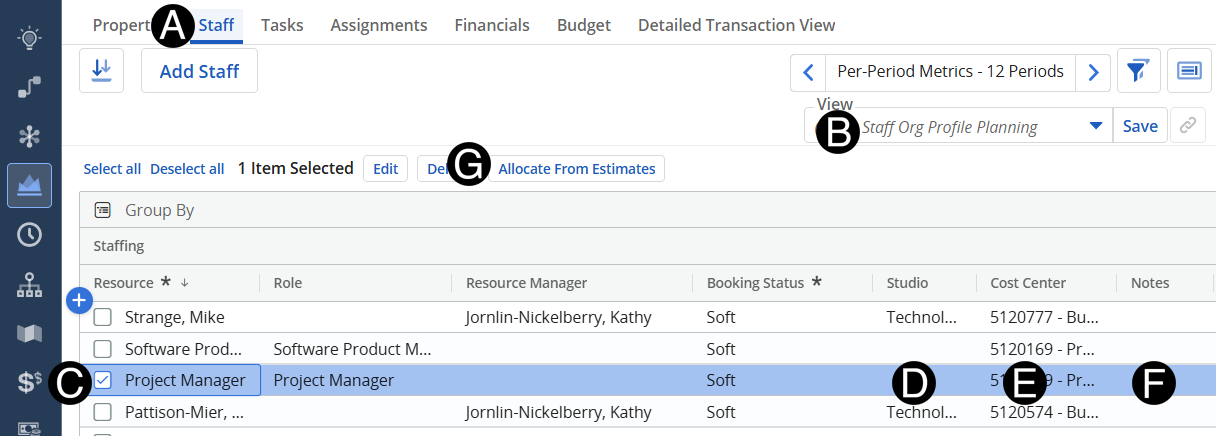
Responsible Individual will enter or update role requests for the project.
The Functional Manager can then add resources to the forecast as needed. Responsible Individual can then create forecast for O/E and Staffing Cost Plan.
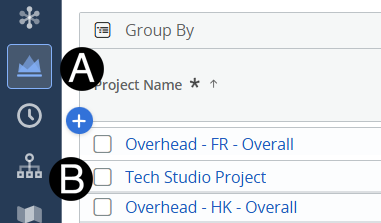
Click on Project icon.
Click to open project from the list.
Click Assignments tab.
Change View to Non-Menu-Job Number Planning.
Click the Add Row.
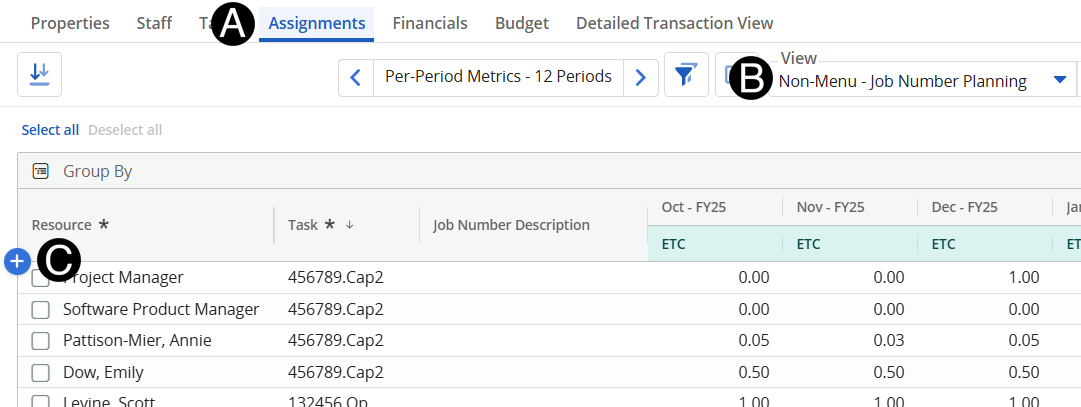
Select Person from Resource drop-down list.
Select Task from drop-down list.
Input Forecast.
 Change
your Fiscal Period for easier navigation.
Change
your Fiscal Period for easier navigation.

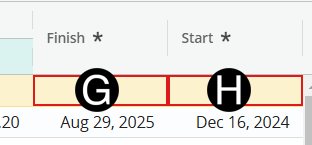
Select a Start date from date picker.
Select a Finish date from date picker
Click Staff tab.
Change View to Staff Org Profile Planning.
Select the Resource Line to update.
If
there's multiple. You can click the select all or ctrl and select
other resource lines.
Select a Studio from drop-down list.
Select Cost Center from drop-down list.
Enter a Note (Optional).
Click Allocate From Estimates.