Once a project is defined in SAP, project finance will add the 7-digit SAP project ID and any unique IDs that may be tagged in from other business units.
 This
7-digit and unique ID will allow the automated WBS task creation to
work.
This
7-digit and unique ID will allow the automated WBS task creation to
work.
SAP
IDs are the same across BlueSky Projects since they settle to a Cost
Center.
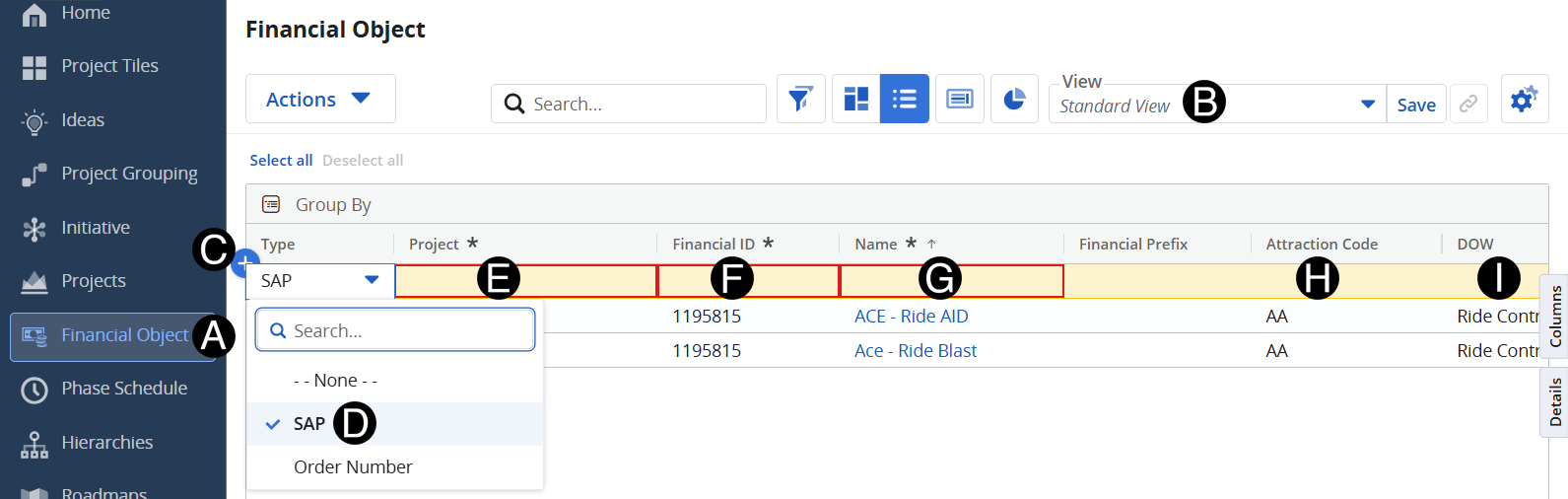
Click on Financial Object icon.
Change view to Standard View.
Click Add Row.
Select SAP from drop-down list.
Enter Project.
Enter Financial ID (Project definition).
Enter Financial Name.
Enter Attraction Code.
Select DOW from check list.
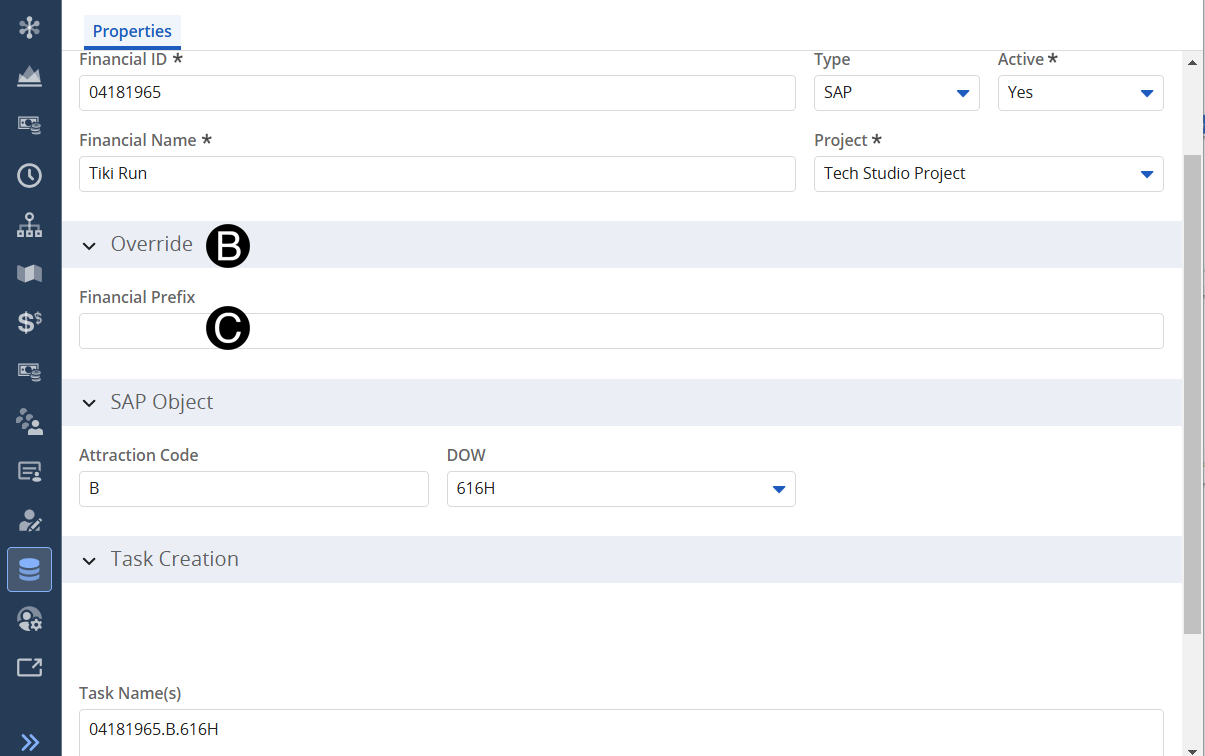
Click on Financial Name to Update.

Expand Override section.
Complete
Financial Prefix must include Financial ID, Attraction Code, DOW and
any unique details.
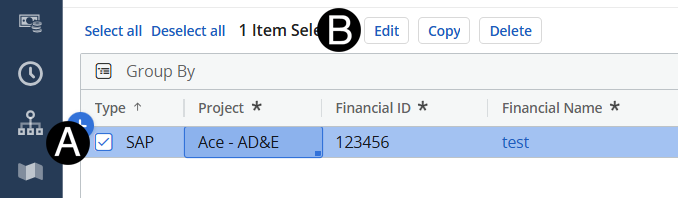
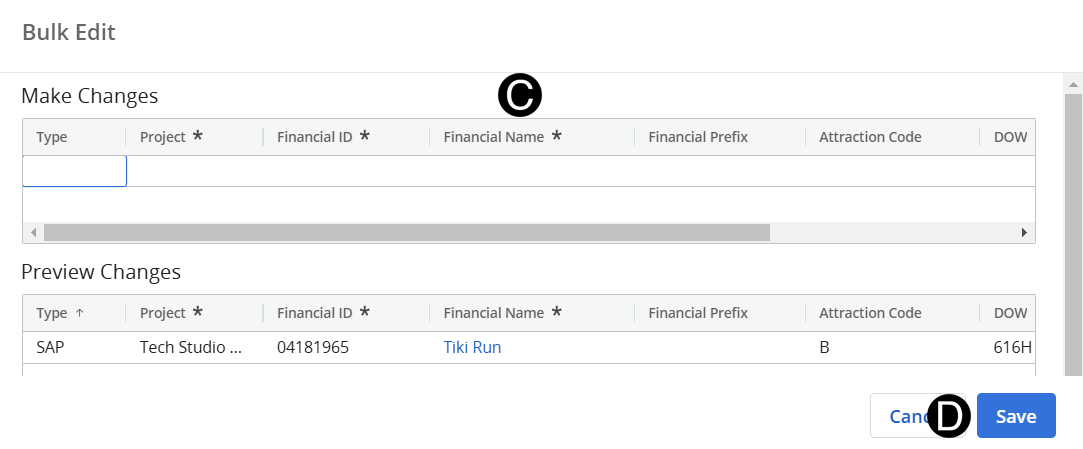
Select item to be updated by checking the box.
Click Edit button.