





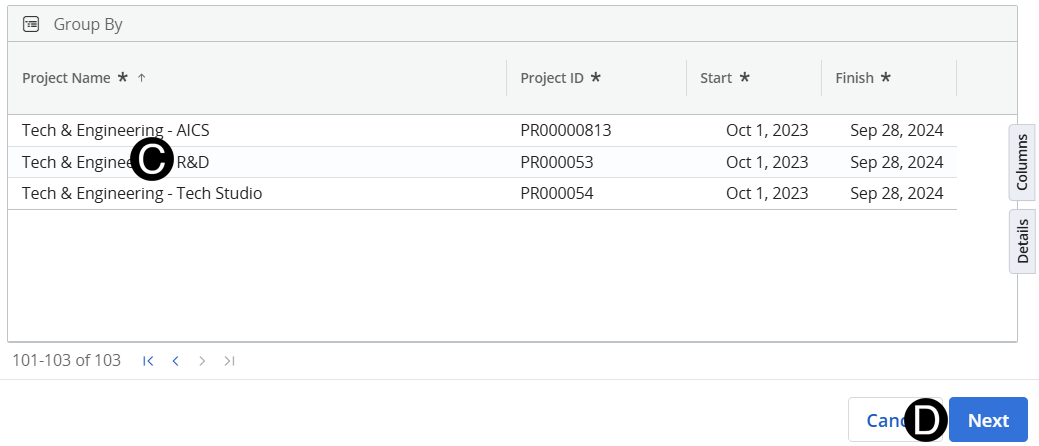
Responsible Individual creates Project in Clarity using the Tech & Engineering - Tech Studio or Tech & Engineering - R&D templates based on accountable sub-studio.
Responsible Individual can begin creating their workplan by entering Role Requests for skill sets needed to execute the project.
 If structure is not a single project contact the Clarity
Tech Studio Support Team for Sub-project and Hierarchy set
up.
If structure is not a single project contact the Clarity
Tech Studio Support Team for Sub-project and Hierarchy set
up.
If you do not see what you expect to see adjust your View and Filters.
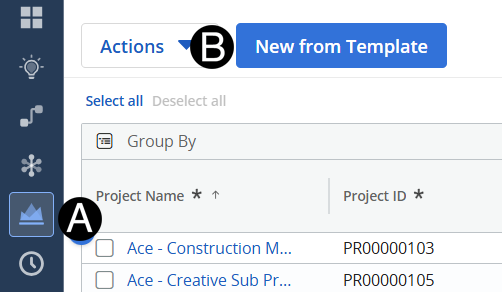
Click Projects Icon.
Select New From Template.
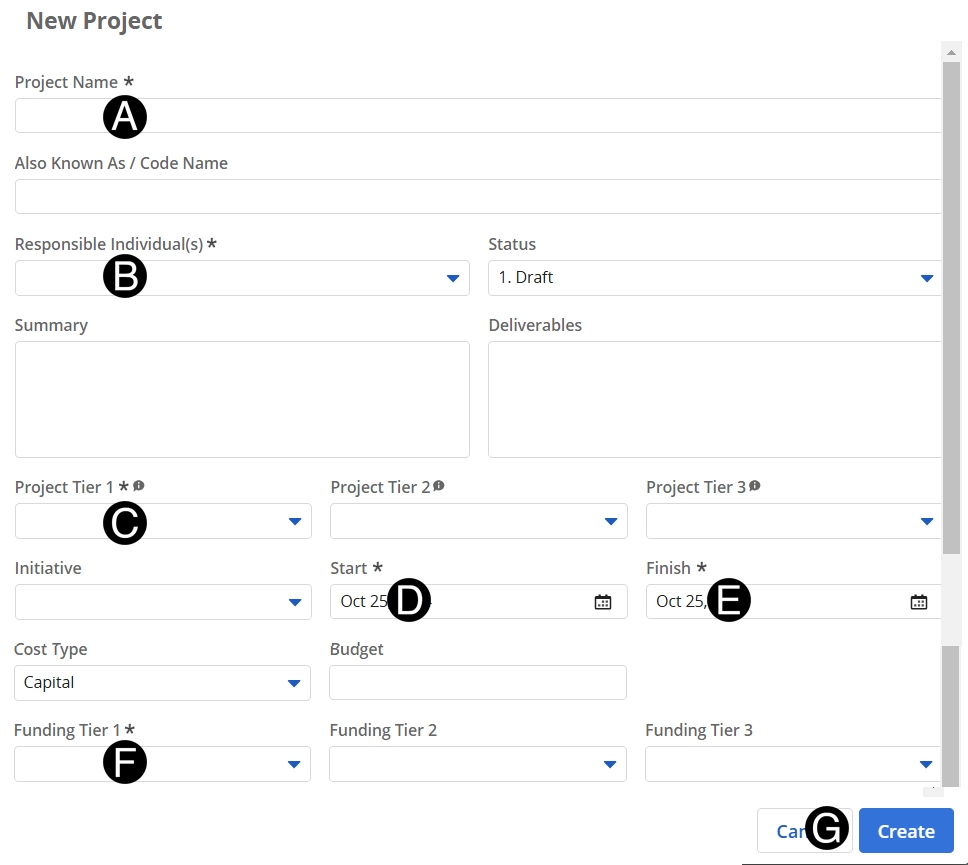
Enter Project Name.
Select Project Tier 1 from drop-down list.
Select a Start date from date picker.
Select a Finish date from date picker.
Select Funding Tier 1 from drop-down list.
Click Create.
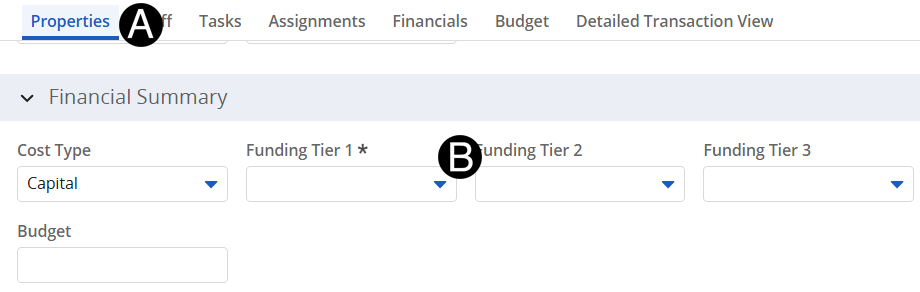
Select Properties tab.
Review Financial Summary and update as needed.
If structure is not a single project contact the Clarity
Tech Studio Support Team for Sub-project and Hierarchy set
up.
Complete Clarity
Access Request Form to Responsible Individuals access
to manage the workplan.