An Email notification for Intent Approval will be sent from Clarity.
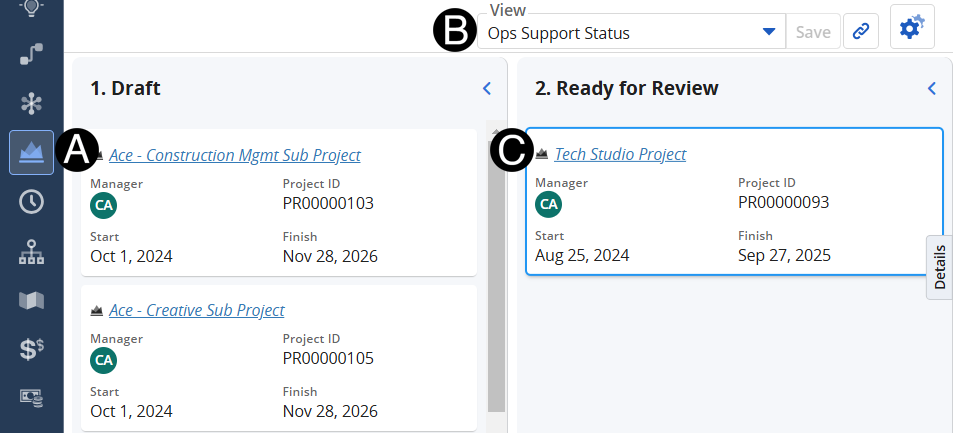
Click on Project icon.
Change View to Ops Support Status.
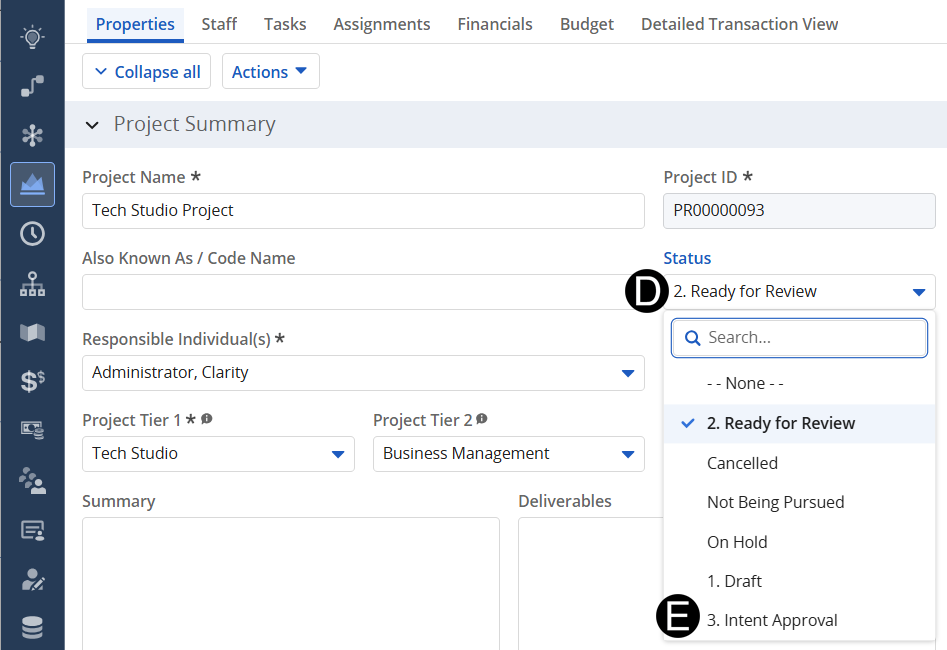
Click on the project that is in the Ready for Review status.






 An
Email notification for Intent Approval will be sent from Clarity.
An
Email notification for Intent Approval will be sent from Clarity.