





Contract Accounting assigns the SAP Change Order Number.
If SOV is not complete and the Vendor is participating the Vendor will receive the notification requesting final Schedule of Values (SOV).
If SOV is not complete and the Vendor is not participating the RI will receive the notification requesting the final Schedule of Values (SOV).
If the SOV is complete the Change Order will automatically move to Fully Executed Invoicing Authorized.


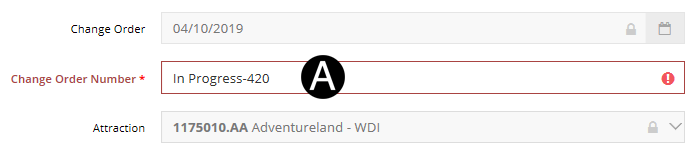
Enter the Change Order Number.
|

|
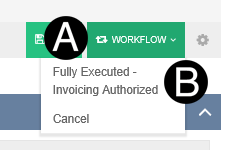
Click Workflow.
Select Fully Executed-Invoice Authorized.
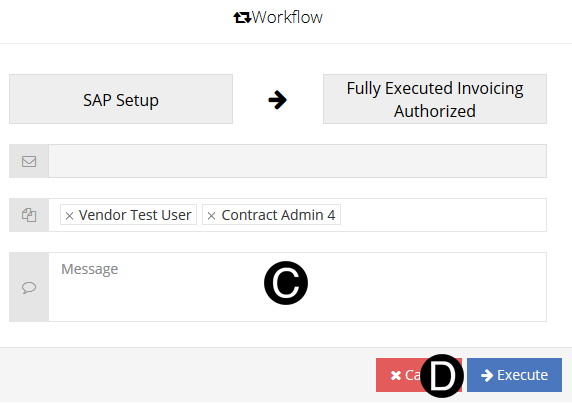
Type a message in the Message field to include in the Email notification (optional).
Click Execute.
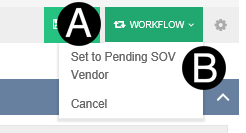
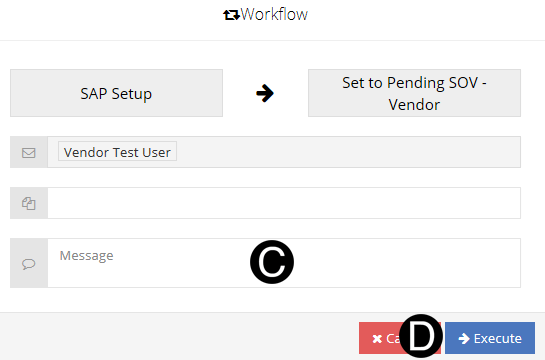
Click Workflow.
Select Set to Pending SOV Vendor.
Type a message in the Message field to include in the Email notification (optional).
Click Execute.
Click Workflow.
Select Fully Executed-Invoice Authorized.
Type a message in the Message field to include in the Email notification (optional).
Click Execute.
 Change Order Number must be 3 digits
unique.
Change Order Number must be 3 digits
unique.