F.6.4 LOA Finance/PM: Review and Approve


Description

This step generates notices to the appropriate members for Authorization based on the dollar amount.


A finance representative will always approve in this step.  A different Project Manager will approve if the Project Manager in the prior step doesn’t have authority otherwise it will skip based on the Portfolio Procurement Approval Matrix.


Outcomes

The LOA approves this award and its funding assignment and workflows to SAP Setup once all Sub Contracts are also workflowed.


Detailed Steps


Step 1: Log in to NexGEN


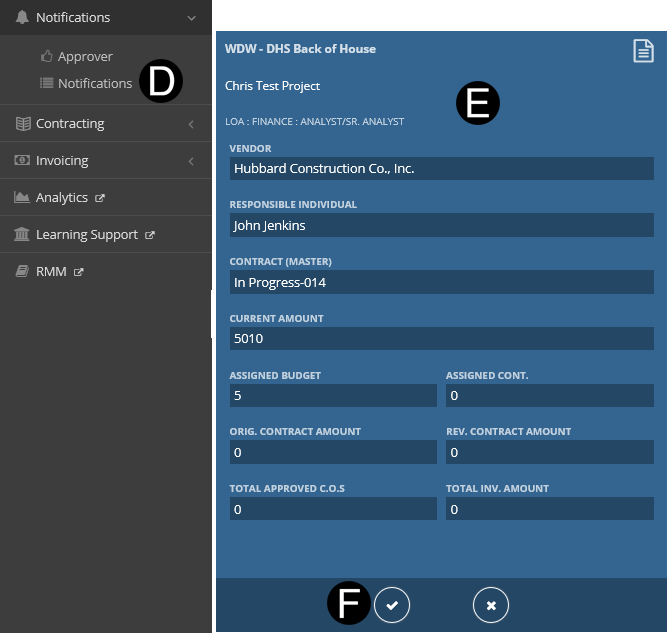
  1. Select Notifications.
  2. Click Tile Approvals.
  3. Click from Notification Tile to workflow.


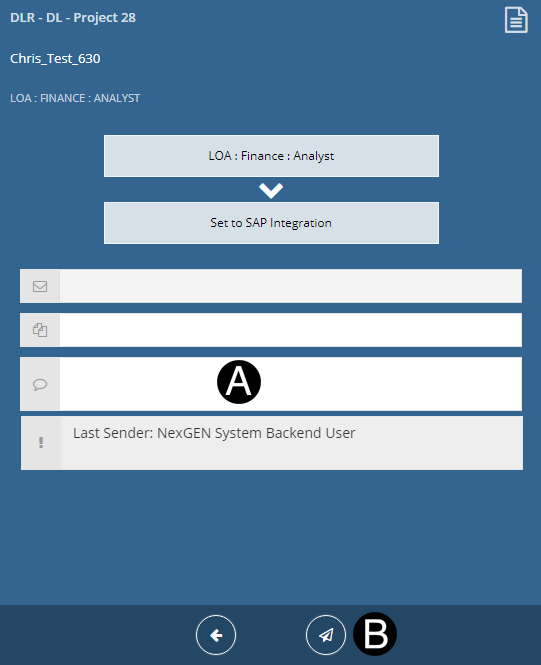
Under workflow the following choices will produce the following results:
  • Return to Funding/WBS Assignment: will return back to Project Estimator.

  • Return to PM Review: will return back to Project Manager for review.

  • Reset to Draft: will reset contract and all Sub Contracts back to Daft state.


Step 2: Approve the Contract.

  1. Type a message in the Message field to include in the Email notification (optional).
  2.  Click to Workflow: Approve.