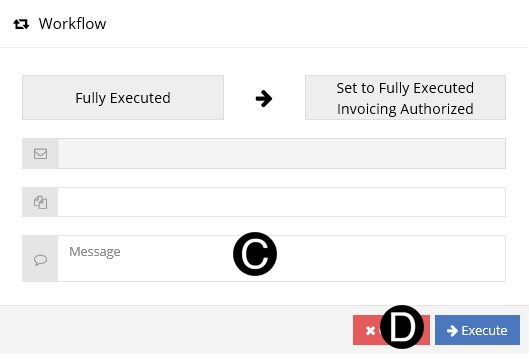
F.6.11 Fully Executed: Contract Fully Executed

Description
The Contract Administrator
Executes the contract.
Outcomes
If SOV is not complete and the Vendor is
participating the Vendor will receive the
notification requesting review and modification (if needed) of the Schedule
of Values (SOV).
If SOV is not complete and the Vendor is
not participating the RI will receive the notification requesting review
and modification (if needed) of the Schedule of Values (SOV).
If the SOV is complete the contract will automatically Workflow to Fully
Executed Invoicing Authorized.
Detailed Steps
Step 1:


Step 2: Fully Executed Date.
- Enter Fully Executed Date.


 The correct Workflow
option will be available depending on fields completed in the
process. The correct Workflow
option will be available depending on fields completed in the
process.
|
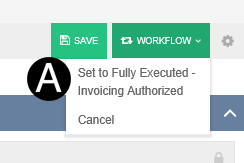
Step 3a: SOV is complete. Workflow is Set to Fully Executed
Invoicing Authorized.
- Select Workflow: Set to Fully Executed Invoicing Authorized.
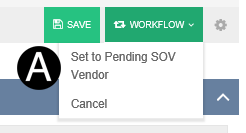
Step 3b: SOV is not complete and the Vendor is participating.
Workflow is Set to Pending SOV Vendor.
- Select Workflow: Set to Pending SOV Vendor.
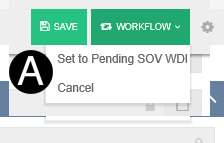
Step 3c: SOV is not complete
and the Vendor is not participating. Workflow is Set to Pending SOV WDI
.
- Select Workflow: Set to Pending SOV WDI.
- Type a message in the Message field to include in the Email
notification (optional).
- Click Execute.