





Project Estimator reviews the proposed value and attachments of the Contract Directive entered by Responsible Individual or Vendor. If Contract Directive ready to be received, Project Estimator receives the Contract Directive. If not ready to be received, Contract Directive is reset to Reissue Directive and returns to Responsible Individual or Vendor for Reissue Directive.


Examples
|
Review Proposed value.


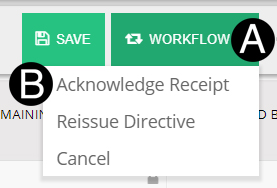
Click Workflow.
Select Acknowledge Receipt.
|
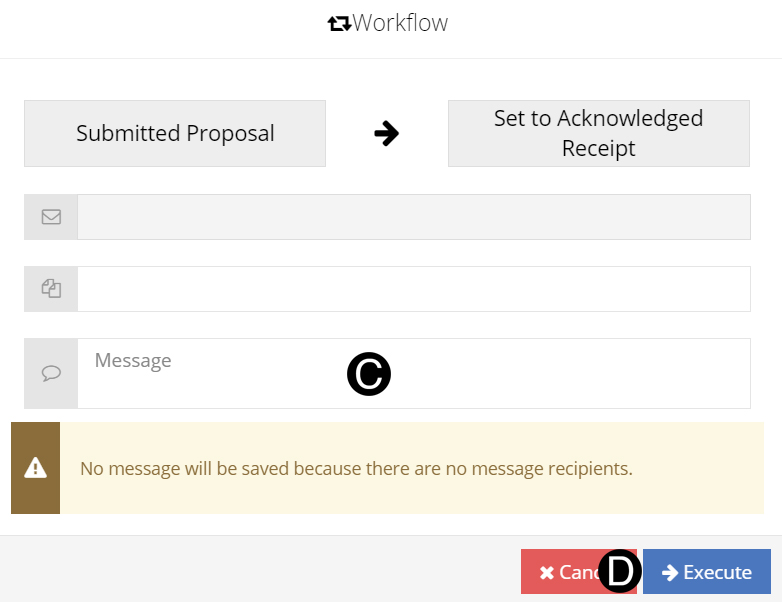
Type a message in the Message field to include in the Email notification (Optional).
Click Execute.
|
 Contract Directive amount now reflects
proposal.
Contract Directive amount now reflects
proposal. Definitive complete and proposal received
must be completed for the Change Order to be created.
Definitive complete and proposal received
must be completed for the Change Order to be created.