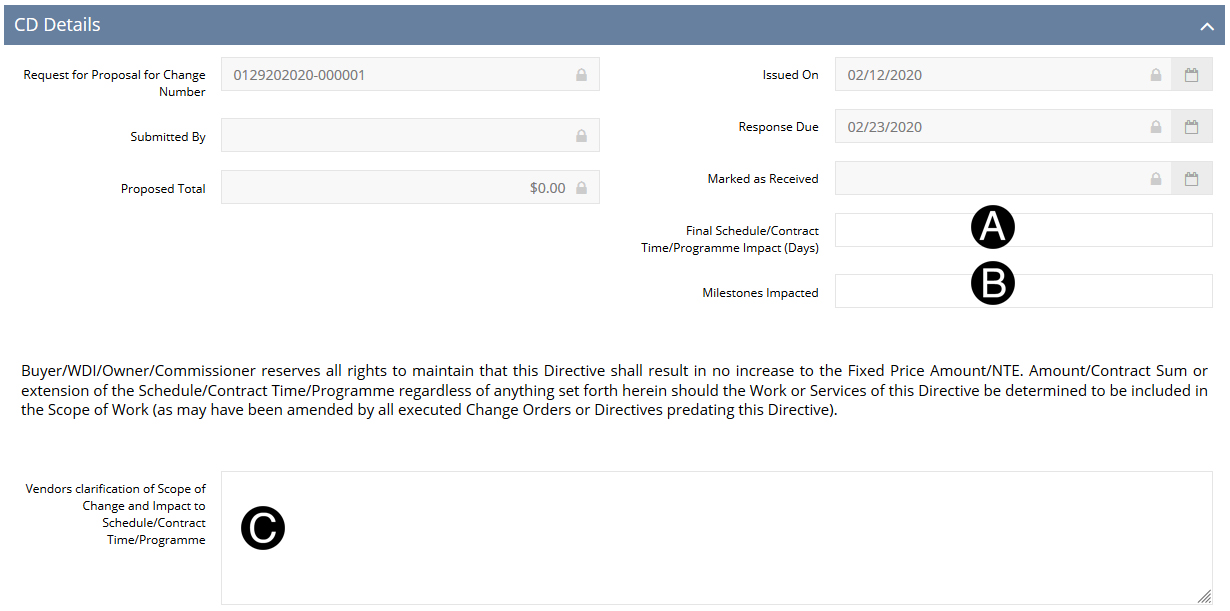
Responsible Individual/Delegate or Vendor enters proposed value based on Scope of Work being changed.

Enter Final Schedule/Contract Time/Programme Impact (Days).
Enter Milestones Impacted.
Enter Vendors Clarification of Scope of Change and Impact to Schedule/Contract Time/Programme.

Enter Description of Work (optional).
Enter Quantity.
Enter Units of Measure (optional).
Enter Unit Price.


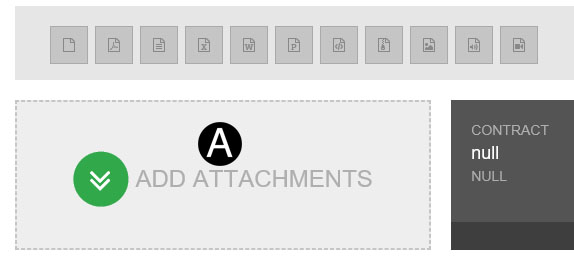
Click Add Attachment.
Browse for file and Click open. Attachment will be added to NexGEN.

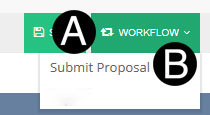
Click Workflow.
Select Submit Proposal.
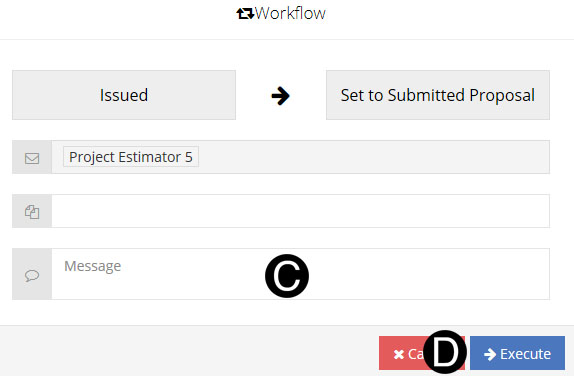
Type a message in the Message field to include in the Email notification (optional).
Click Execute.