D.7.1.5 PM Review: Review, Approve and modify
Type/Cause of Change

Description
Project Manager agrees that the
scope documented can move forward and that all disciplines and the overall
impact is accounted for. The Project
Manager review/confirm Funding Type and Type /Cause of Change.
Outcomes
Project Manager issues the Contract
Directive to the Participating Vendor or
the Responsible Individual
if the Vendor is not Participating.
Detailed Steps
Step 1: .

Step 2: Verify Data.
- Review/Verify Cause of Change.
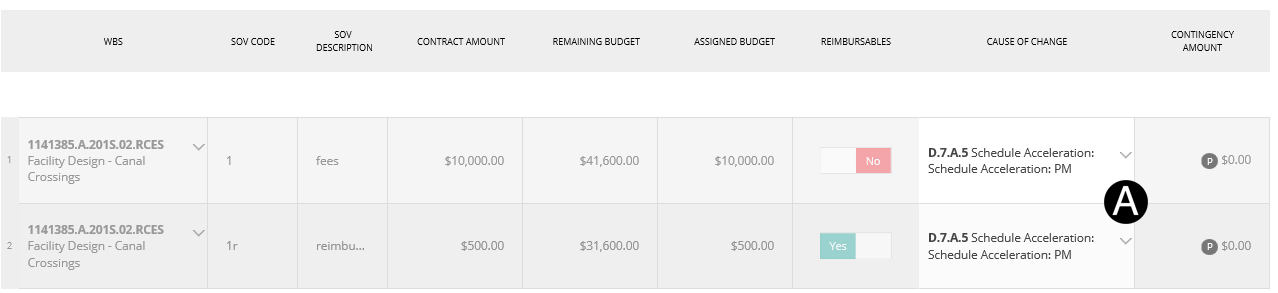

Step 4: Workflow JFC.
Click Workflow.
Select Issue Directive.
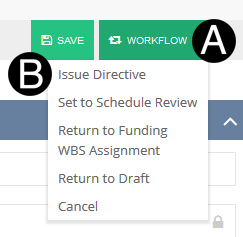
Set
to Schedule Review: will workflow to Project Planner for schedule
impacts (optional). Return
to Funding WBS Assignment: will workflow to Project Estimator
to make needed corrections or input. Return
to Draft: will workflow to Responsible Individual in Draft
State to make needed corrections or input. Cancel:
will end process and require starting over a new JFC by the
Responsible Individual. |
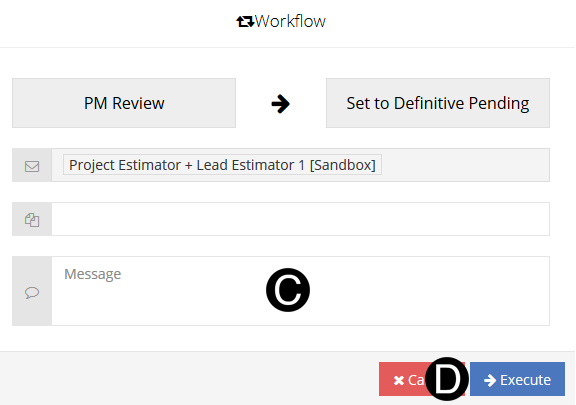
Type a message in the Message field to include in the
Email notification (optional).
Click Execute.