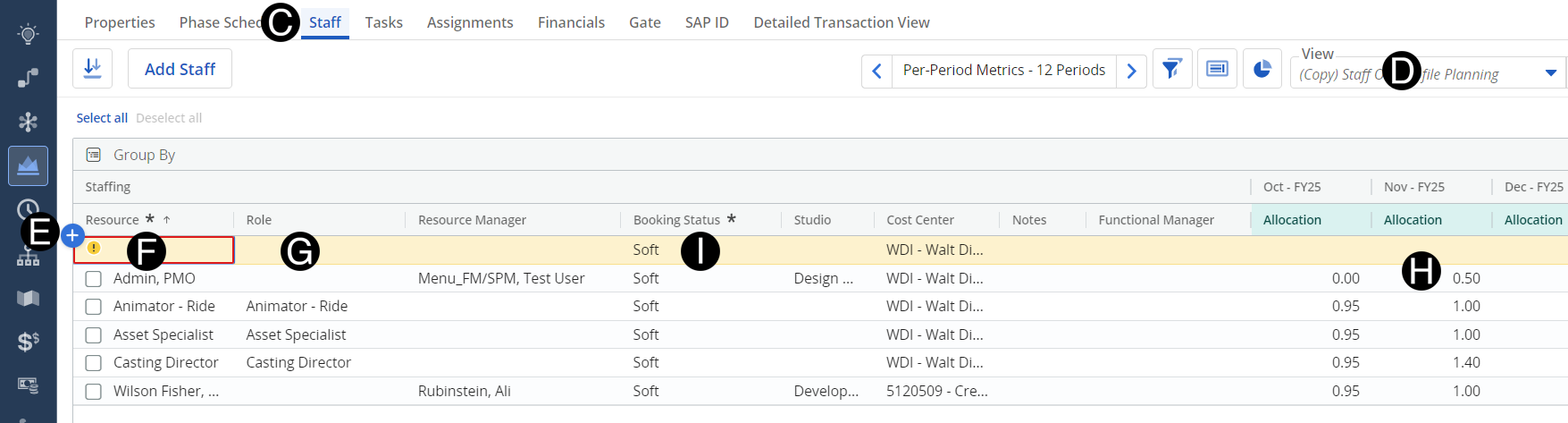
Responsible Individuals will add TBD if capacity for the request is not available and decided they cannot shift around existing resources.
 You can request a TBD outside
of a resource planning cycle. However, if the need is imminent, you
must consult with your HRBP on routing the request for approvals before
the next cycle starts.
You can request a TBD outside
of a resource planning cycle. However, if the need is imminent, you
must consult with your HRBP on routing the request for approvals before
the next cycle starts.
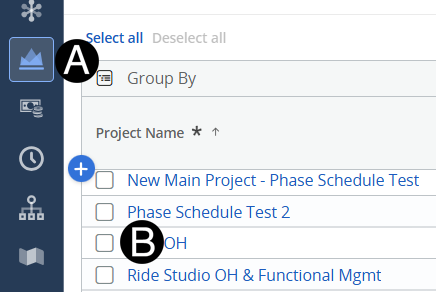
Click on Project icon.
Click to open project from the list.
Select Role of TBD from drop-down list.
Enter Allocations to match the project needs. (use scroll bar at bottom to so all allocation columns)
Select Booking Status Hard from drop-down list.
 If you need to adjust the
requested allocations or believe the ask is insufficient or excessive
for the task, talk to your core team representative.
If you need to adjust the
requested allocations or believe the ask is insufficient or excessive
for the task, talk to your core team representative.