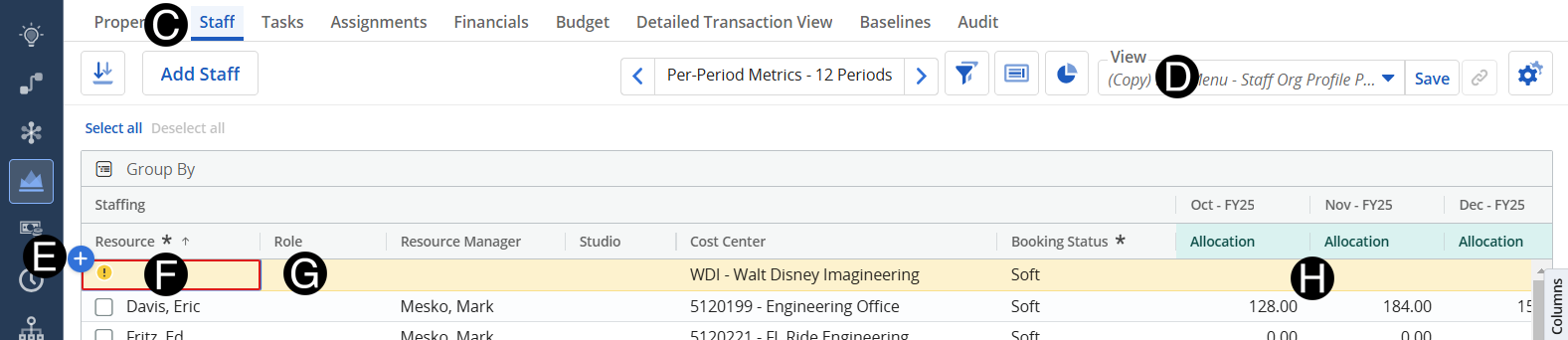
Responsible Individuals who are responsible for the delivery and execution of the project choose the roles that will be needed to complete tasks and milestones in advance of the turnover date.
 You cannot plan
named resources at this point unless you are a functional manager.
You cannot plan
named resources at this point unless you are a functional manager.
You
can drag values vertically but not horizontally.
Pay
attention to the time scale you are looking at as you navigate between
Clarity pages.
If
the person is on an oversight task, fill in the “Oversight %.”
Click on Project icon.
Click to open project from the list.
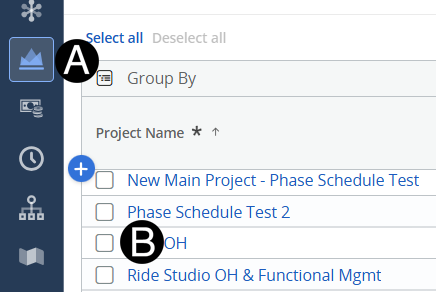
Select Role from drop-down list.
Enter Allocations to match the project needs. (use scroll bar at bottom to so all allocation columns)
 specify the cost center and
studio associated with your role request.
specify the cost center and
studio associated with your role request.
Using the start, end date,
and default allocation will allow you to plan across large time frames
more efficiently.