





Business Manager/Ops Support or Ops Finance creates Project in Clarity using existing templates.
The Ops Finance can then add the Financial Object to the Project.
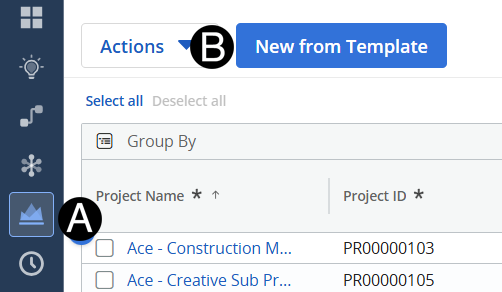
Click Projects Icon.
Select New From Template.
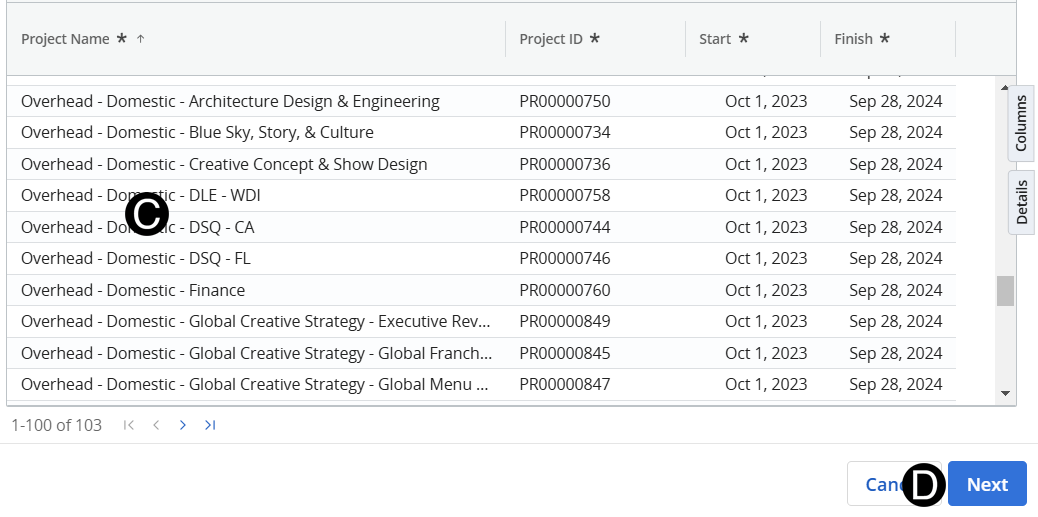
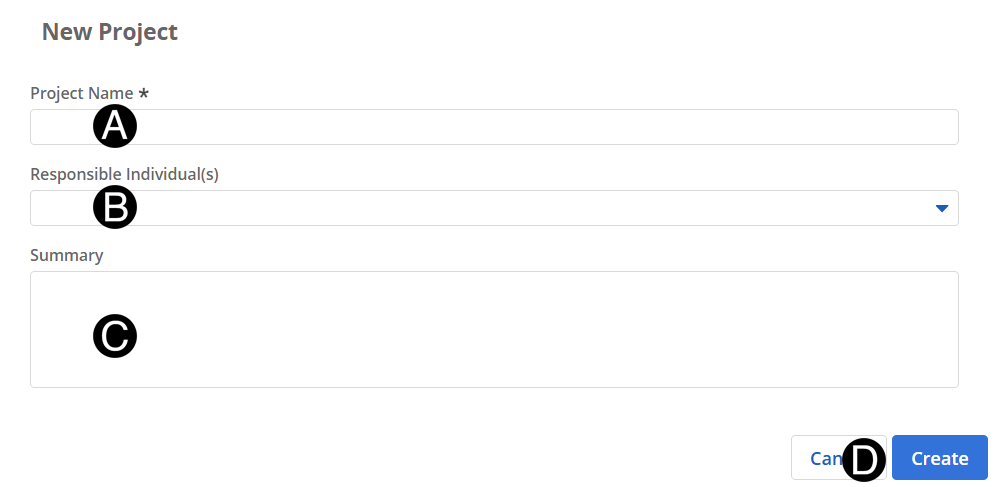
Enter Project Name.
Select Responsible Individual(s) from drop-down list.
Enter Summary.
Click Create.
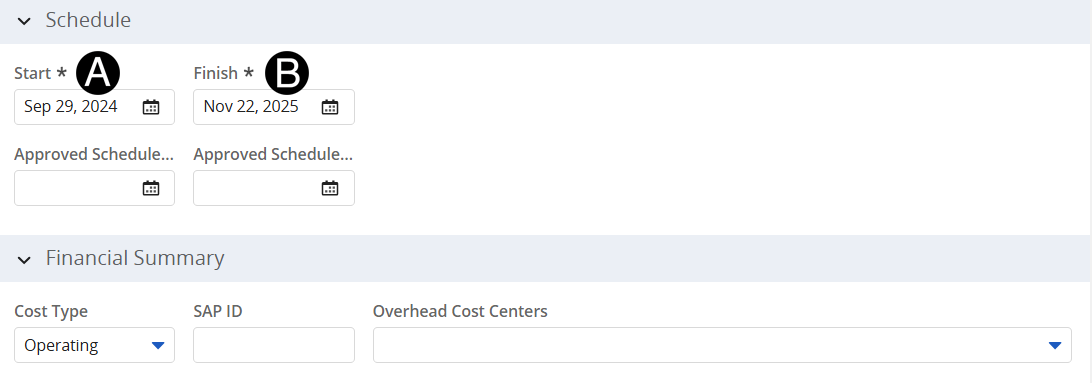
In Schedule section select Start from Date Picker.
Select Finish from Date Picker.
|
 For
your information select Cost Center from drop-down list.
For
your information select Cost Center from drop-down list.