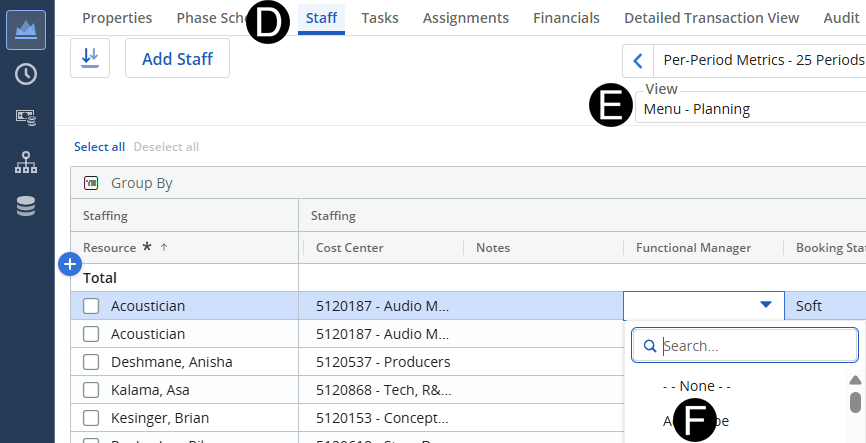
When the Staffing Plan Manger is prepared to inform the Functional Manager’s of their demand role requests need to be routed to the Functional Manager of the discipline for review and assignments of resources or TBDs.
 Once
you select a Functional Manager’s
name, the request will immediately appear on their dashboard as a
request that needs to be fulfilled.
Once
you select a Functional Manager’s
name, the request will immediately appear on their dashboard as a
request that needs to be fulfilled.
Do
your best to ensure the chosen Functional
Manager is accurate. The Functional Manager can return back to
you or re-assign if not correct.
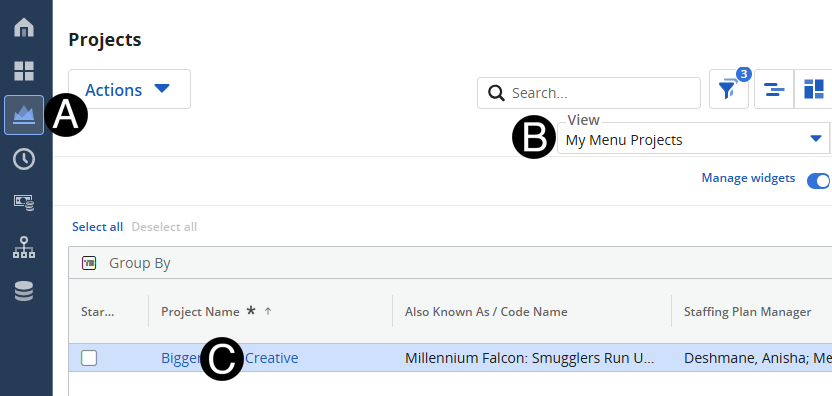
Click on Project icon.
Select My Menu Projects from the View drop-down list.
Click to open project from the list.