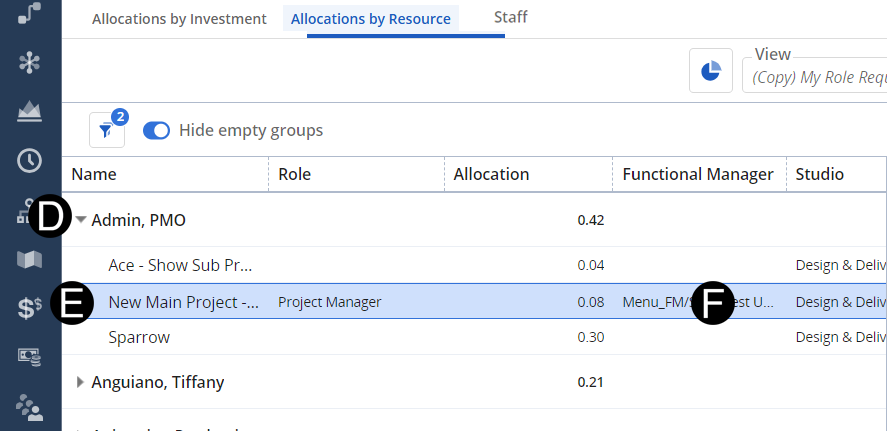
As a functional manager, you may receive a role request on your dashboard that does not belong within your purview. Re-route that request to the correct Functional Manager or remove your name so the Staffing Plan Manager knows to route it to someone another Functional Manager.
 Once you select a Functional
Manager’s name, that request will immediately show up on their dashboard
as a request that needs to be fulfilled.
Once you select a Functional
Manager’s name, that request will immediately show up on their dashboard
as a request that needs to be fulfilled.
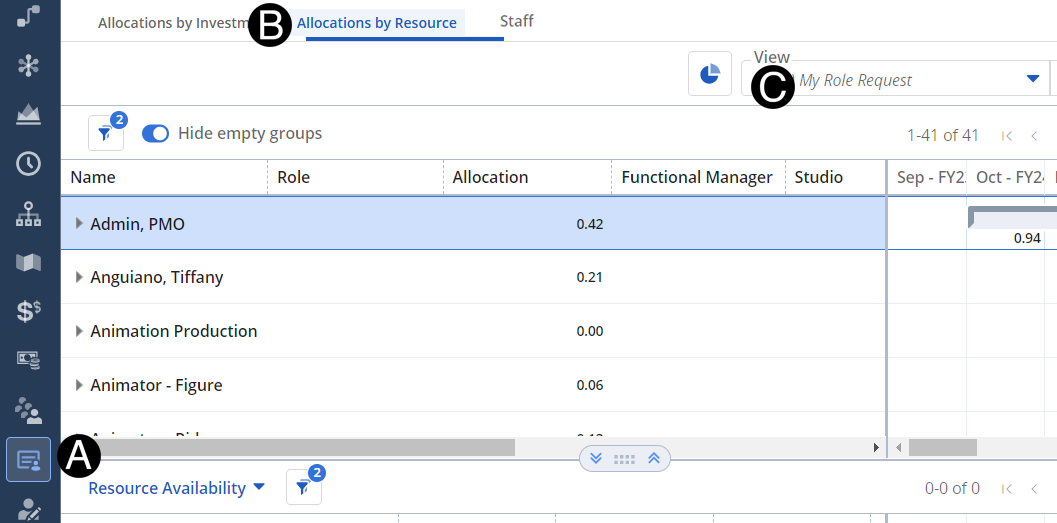
Click on the Staffing icon on the navigation menu.
Click on Allocations by Resource.
Select My Role Request from the View drop-down list.
Click the line that requires Functional Manager adjustment.
Double click Functional Manager select the Functional Manager you think this belongs to from drop-down list or remove your name.