F.6.3 PM Review: Approval of Scope/Schedule/Funding Source


Description

Contract has been workflowed to the Project Manager in the Review State.


Outcomes

 The Project Manager approves this award and its funding assignment.

If all budget is assigned the type and cause will default to planned work.


Detailed Steps


Step 1: Log in to NexGEN


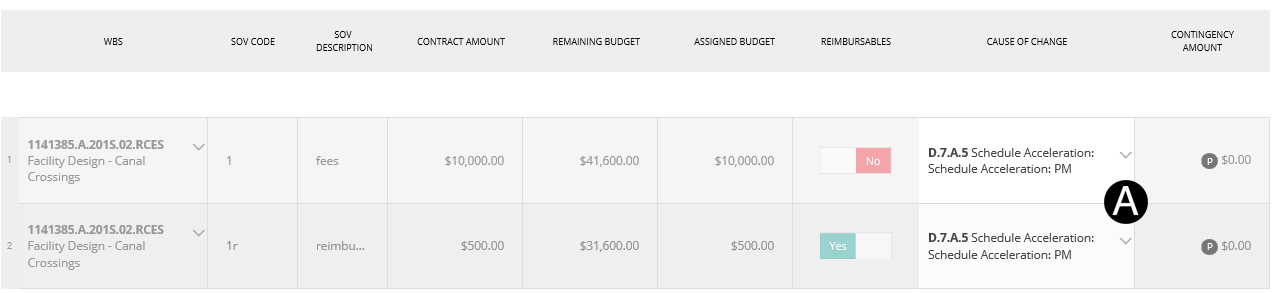
Step 2: Verify Data.

  1. Review/Verify Cause of Change.


The Header Workflow  option should only be used when resetting the entire Contract to the Draft or Cancel State by the Contract Administrator:

  • Reset to Draft: will workflow to Contract Administrator at Draft State.


Workflow must be selected from the Sub Project Details section.


Step 3: Workflow.

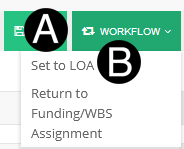
  1. Click Workflow.
  2. Select Set to LOA.


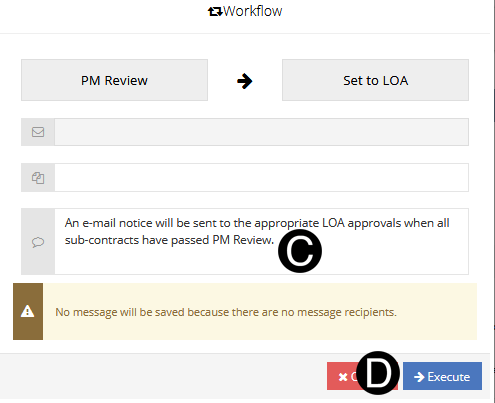
If there are multiple Sub Contracts the Project Manager will workflow to Set to Awaiting LOA until the last Sub Contract is workflowed by the Project Manager.  The System will automatically workflow to the correct LOA.


  1. Type a message in the Message field to include in the Email notification (optional).

  2. Click Execute.


NexGEN will determine workflow recipient(s) based on LOA Matrix.