





Studio Finance determines the WBS Funding type and confirms type and cause of change.
Once the line items on a PWA JFC are updated by the Division Finance or Project Finance. PWA JFC, will be workflowed to the Project Manager, it moves from the Funding/WBS Assignment to PM Review.


Select the WBS from the list.
Select Network Activity from the list. (Optional)
Select Cost Center from the list. (Optional)
Enter Labor Rate. If Cost Center is selected Labor Rate will auto-populate per the Cost Center current Standard Labor Rate.
Enter Hours in the field.
Adjust Cause of Change if applicable.
Adjust Contingency Amount in the field as needed or click Contingency Amount box to open window.
Select Contingency Code from the list.

|

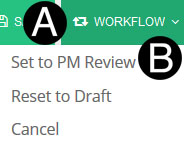
Click Workflow.
Select Set to PM Review.
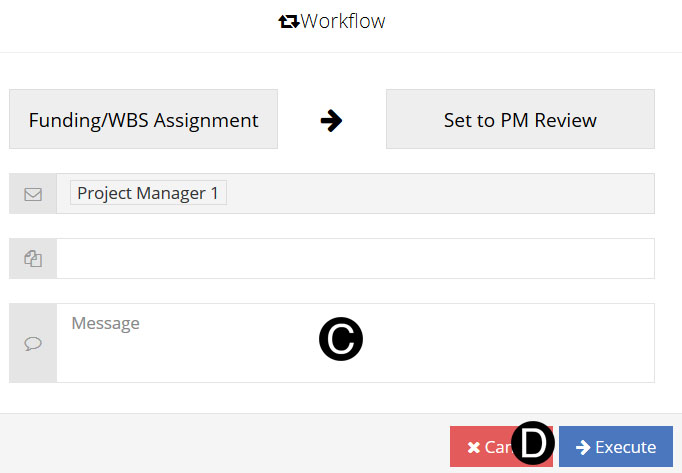
Type a message in the Message field to include in the Email notification (optional).
Click Execute.
 If
there are multiple Contingency Codes on the project Click
If
there are multiple Contingency Codes on the project Click  to add additional rows which allows contingency to allocate at
a lower level.
to add additional rows which allows contingency to allocate at
a lower level.