





Project Estimator determines the value that will be used for the Definitive Estimate that will impact Cost Reporting prior to settling the Contract Directive.
If the Definitive Estimate was entered during Funding/WBS Assignment state this state will be skipped and will have been Workflowed to CD Submit Proposal/JFC Definitive Complete.


Enter Definitive.

|

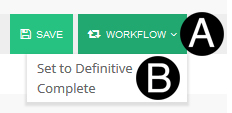
Click Workflow.
Select Set to Definitive Complete.
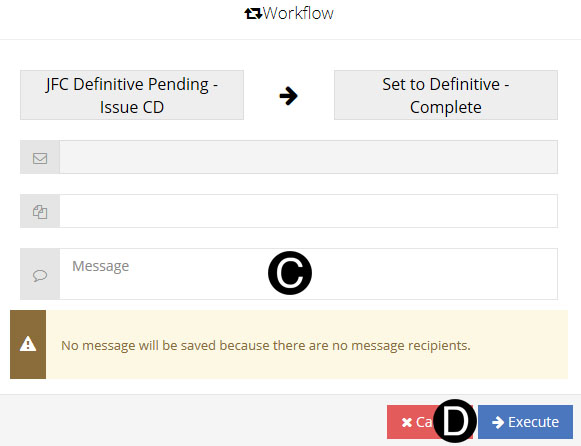
Type a message in the Message field to include in the Email notification (Optional).
Click Execute.
|
 If
new SOV lines have been added to the proposal in the CD process
and the same WBS/CBS is used on multiple rows on the SOV the SOV
Code and SOV Descriptions must be unique per row.
If
new SOV lines have been added to the proposal in the CD process
and the same WBS/CBS is used on multiple rows on the SOV the SOV
Code and SOV Descriptions must be unique per row. JFC and CD must be in the Ready to Be
Settled state so the JFC/CD can be selected in the Change Order.
JFC and CD must be in the Ready to Be
Settled state so the JFC/CD can be selected in the Change Order.