D.4.2 Draft: Download PWA Template, Populate & Provide to wdi.nexgen@disney.com

Description

The WDI Sustainment Team, Project Controls Team, Finance and designated Responsible Individuals for each Studio will meet throughout the gate process to determine the authorization strategy which includes internal Labor, POs, and staff extensions that are known to mitigate the need for de-authorizations that don't add value.


Outcome

The WDI Sustainment Team will review and upload the template provided.


Detailed Steps


Step 1:Log in to NexGEN.

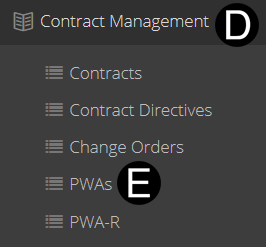
  1. Select Contract Management on Navigation Pane to expand.

  2. Click PWAs.


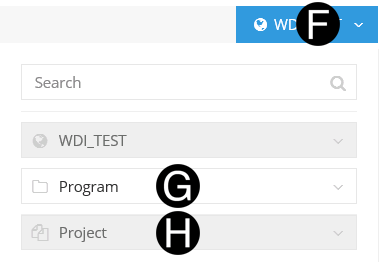
  1. Click Project drop-down list.

  2. Select/Verify Program.

  3. Select/Verify Project.


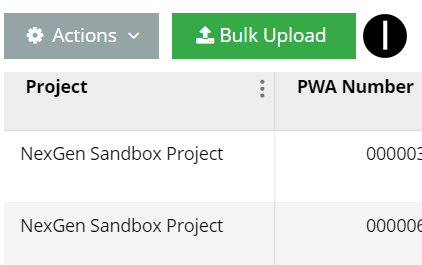
  1. Click Bulk Upload.

Make sure all Budget Transfers, and Budget Approvals are completed prior to submission to the WDI Sustainment Team.

This template must be downloaded every time new data is added to NexGEN to make them available in the pulldowns.


Step 2: Download Template for Completion.

  1. Click Download Template.

B


  1. Open template

  2. Click Data Worksheet.

  3.  Enter information and save..


All sub-projects that may need to be part of this PWA must be added here as a row, being authorized at zero dollars as you can not add sub-projects in the Change Management Process (i.e. PWA, JFC, PWA Net Zero).

All fields in the template in a given row must have values.

DO NOT EDIT, OR COPY AND PASTE.  Specific columns in the template because it uses a formula to compute, and pull lookups.

To separate out a different PWA leave a row blank and continue with the next row completing all columns.


  1. Send complete Template to wdi.nexgen@disney.com for WDI Sustainment Team to load.