Description
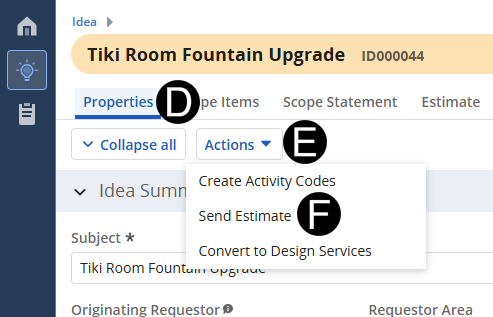
The Idea Creator submits the estimate for approval.
 A
Email will be generated and sent to the Line of Business Requestor
for their approval or rejection of the estimate.
A
Email will be generated and sent to the Line of Business Requestor
for their approval or rejection of the estimate.
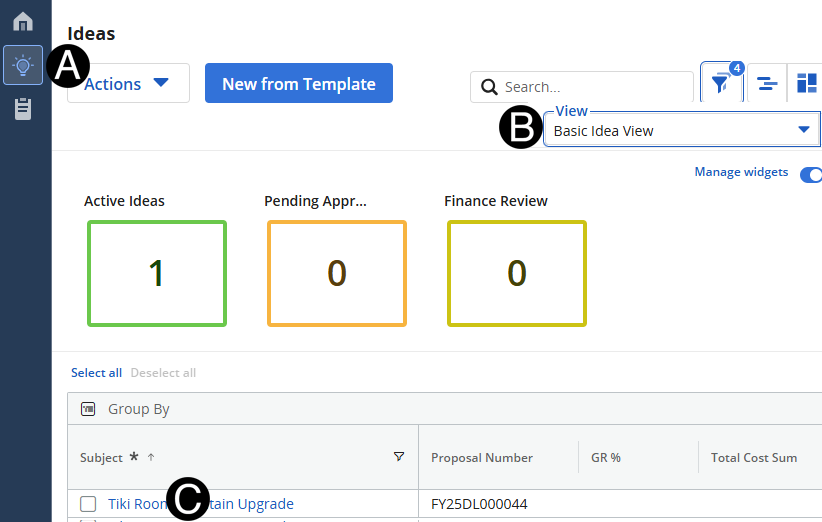
Click Ideas Icon.
Select Basic Idea View.
Click Idea that you want to submit the estimate for approval.