D1.12: Assign Named Resources
 Description
Functional Manager will assign
named resources to the project.
Detailed Steps
Step 1: .
Step 2: Select Project.
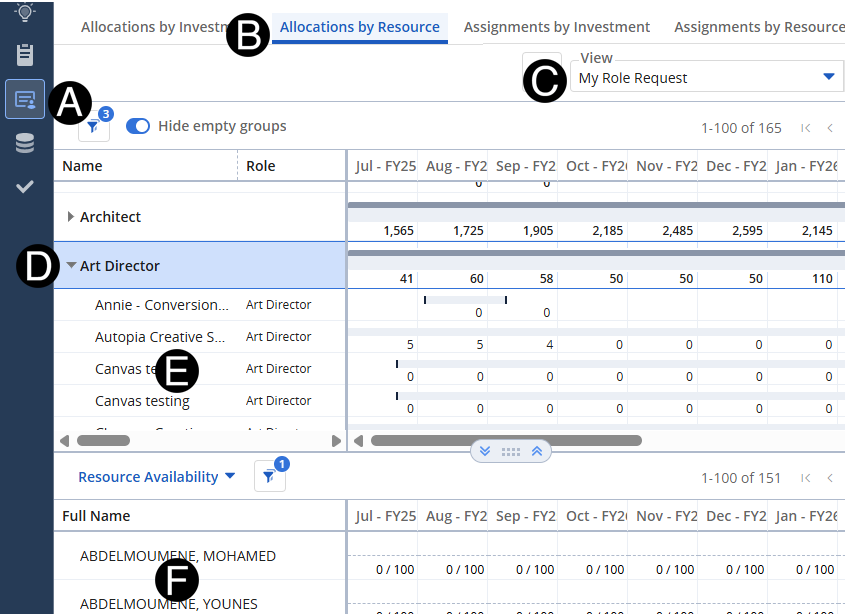
Select Staffing
icon.
Select Allocations
by Resource tab.
- Select My Role Request
View.
- Expand Role to assign name resource to.
- Select Project you wish to assign named resource to from
list.
- From Resource Availability
click and drag the Resource to the Role Request.
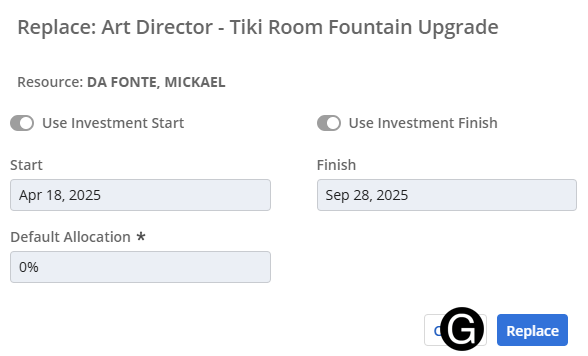
Verify correct replacement has
been made and click Replace.