Lead Finance and Project Estimating transforms the estimate based on the Program and Procurement Strategy to a WBS/CBS structure to manage scopes of work and their execution strategy.
 The
Budget Approval Record Reconciliation Form should be used after a
Pre-CAP or CAR document has been Approved (ie the second or succeeding
Pre-CAP or CAR Correction). Click here to download.
The
Budget Approval Record Reconciliation Form should be used after a
Pre-CAP or CAR document has been Approved (ie the second or succeeding
Pre-CAP or CAR Correction). Click here to download.
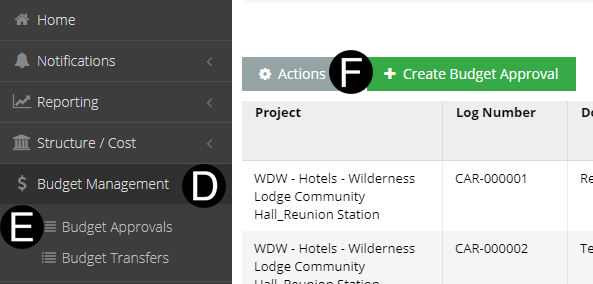
Select Budget Management.
Click Budget Approvals.
Click Create Budget Approval button.
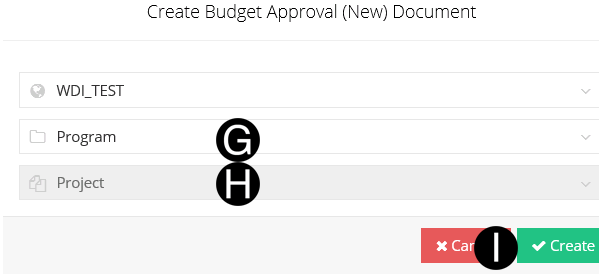


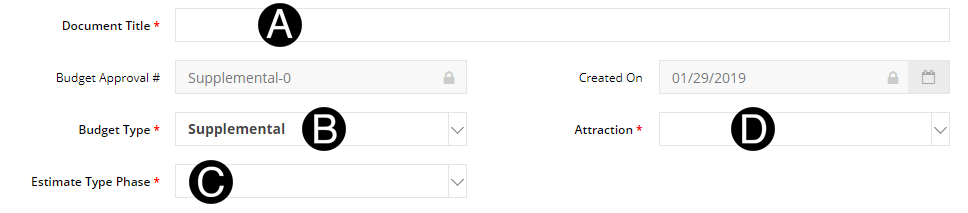
Select an Budget Type.
Select a Estimate Type Phase.
Select Attraction.
 You
can Import Rows using the
Bulk Paste options from Excel/Spreadsheet to NexGEN.
You
can Import Rows using the
Bulk Paste options from Excel/Spreadsheet to NexGEN.

Select WBS from the list.
Type a This Request amount.
Type Hours in the field (Optional).
Type in Current Target or CAR in the field (May be Optional).
Type Total Spend Authorized in the field (May be Optional).
Type in Comments in the field (Optional).

You
must select the Bulk upload option or the + Create Row to add Manually.
You can not use both. Click here for Bulk Paste
Option.

Click  .
.
If
you have not yet completed the Budget Transfer, you can 'Save' without
submitting and complete the form at a later time.
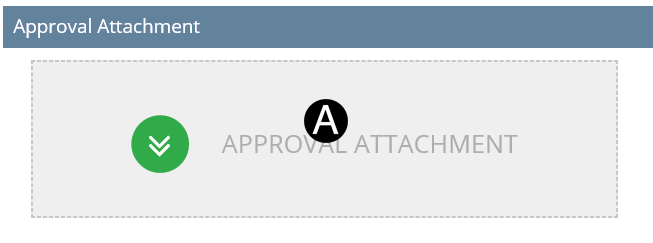
Click Approval Attachment.
Select the file to attach (Holding down Ctrl to select multiple attachments).
Click Open to attach the document.

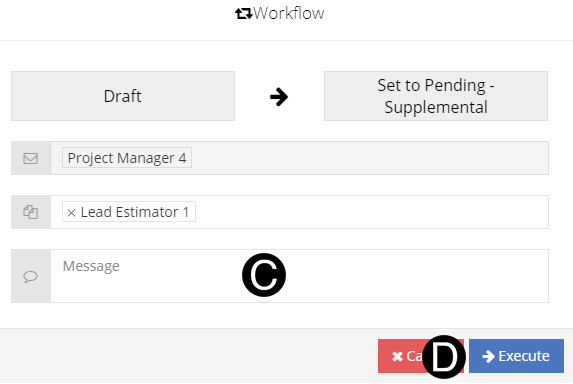
Click Workflow
Select Set to Submitted from the list.
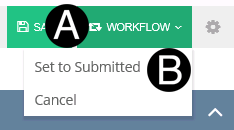
Information here :Selecting Cancel will cancel the Budget Approval and set document to superceded state.
Type a message in the Message (optional).
Click Execute.