Functional Manager will review staffing on the project.
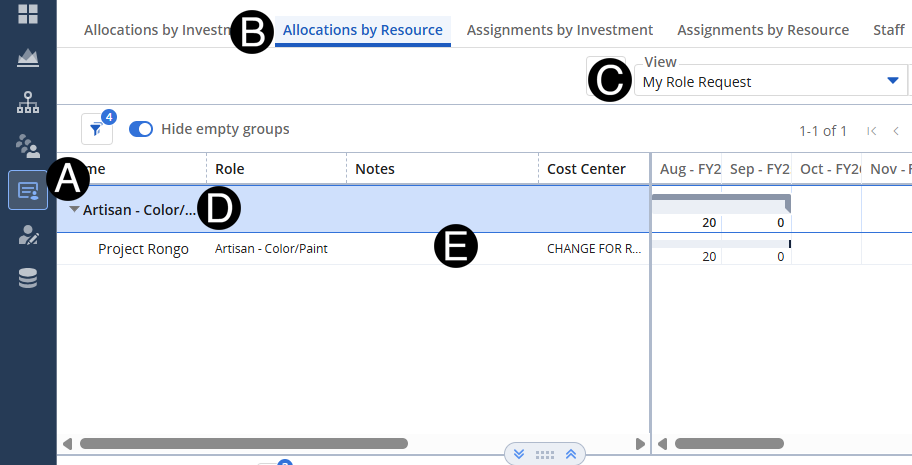
Click Staffing Icon.
Click Allocations by Resource tab.
Select My Role Request view.
Expand the Role you wish to review.
Review details.
 If
you are not seeing the results that you expect check to make sure
there are not any filters blocking the date return.
If
you are not seeing the results that you expect check to make sure
there are not any filters blocking the date return.