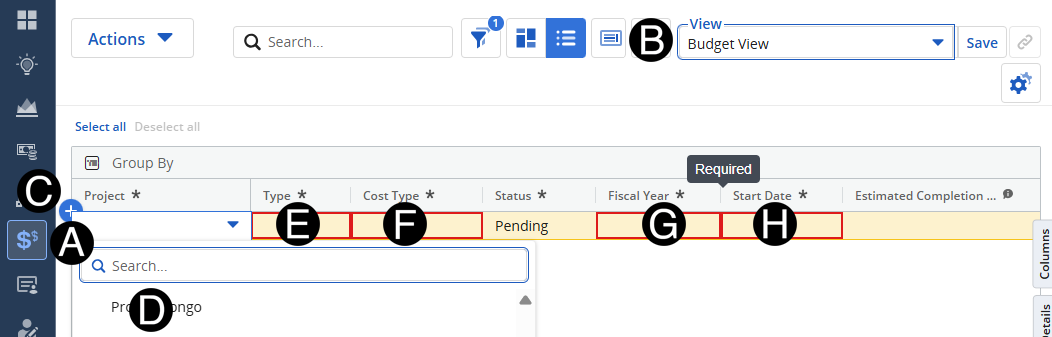
Finance will enter in the authorized budget and fiscal authorized budgets the project.
Select Budget Icon.
 You
can search for the project by name by using the search box in the
drop-down list.
You
can search for the project by name by using the search box in the
drop-down list.
 Start
Date for Budget maybe different than the project start date.
Start
Date for Budget maybe different than the project start date.